

Many times we accidentally delete a photo, or even delete it and then change our minds about having deleted the file. However, there are ways to recover photos that you have deleted. And that's why we News Geek, we separate some applications, with them recover deleted photos. For Android and IOS users, images that are on your device or memory card, there are specific applications for this purpose. Most of these applications have access root, to scan storage memory. Others use algorithms to search for the files you deleted.
Photo recovery apps at their greatest may offer a minimal amount of free space. And for better results, and use of the app, it is necessary to sign the version premium of the service, and thus recover all the files and photos you want. To recover data from Android devices, it is done through the internal space. For IOS devices, recovering data is done through a program or the cloud.
Let's talk briefly about each application, so you can get a sense of how it works and also be able to choose which one will meet your needs. Anyway next, see the exclusive apps, recover your photos, files and other data.
Content Index
DiskDigger
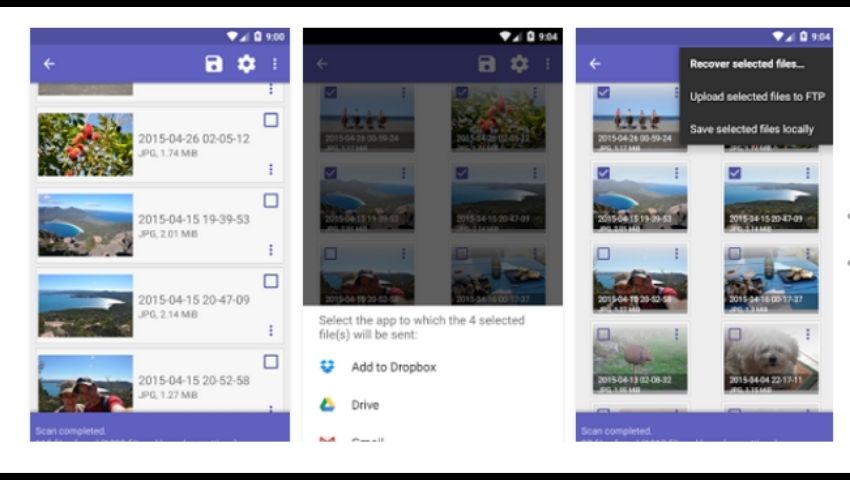
This application does not need to use root to recover photos. DiskDigger can recover deleted or lost photos from internal memory or memory card. If you have accidentally deleted or even formatted your memory card, this app has features for you to recover photos. In addition, the application also offers other features such as saving the recovered file in a folder, sending it directly to the drive, or email, etc.
To recover the application you do not need root access. However, it scans “limited” photos deleted from the device, only in the cache and thumbnails. And with the help of root, where it scans in a “general” way to recover the photos and images. And if you want to recover files other than photos, and use the app in its entirety, the user can subscribe to the version Pro.
DiskDigger is only available for Google Play, i.e. Android devices. It can be downloaded for free, so we leave it here to be downloaded. Finally click on the button below to download the app.
It is worth remembering that the application has a very easy mechanics in addition to being in Portuguese, and layout very practical. This app is a great option if you've lost images or even deleted photos and regretted it. If you want more information and ask questions, you can access the official website of the application, and learn how the app works. Follow the website below: http://diskdigger.org/android.
Photo Recovery
This is yet another app that can recover accidentally deleted photos. O Photo Recovery tries to recover all lost or hidden images on your mobile device. And for that, the app uses tools and various resources to make the recovery effective. That is, it uses for example two different algorithms for work and promises advanced file exploration. As well as viewing files, uploads and also transferring data and files.
Recover your photos with the application, which also has an instruction system on the home screen. For the user not to get lost when browsing the app. This makes it easier to start the process of restoring lost photos and images. The application uses two means to recover, through the system or memory card. During the process, recovery may take a few minutes, and even hours, depending on the device's memory.
It is worth remembering that this app is only available for Android devices, that is, only on the Google Play platform, and can be downloaded for free. Finally, click below the app to download.
After the process of searching for the files to be restored, the app creates a folder with the recovered files (photos and images). So they can be selected and moved to another folder of the user's choice and even shared to another device. If you have questions, you can access the app's official website, for more instructions, Click here!
Undelete Data Recovery
Like the other applications mentioned before, this application is also only available for Android devices. And it is another option to recover your photos. This app does not access the root, and can check app caches for images. And for deep searching of files it uses root access. Searches for hidden or deleted images on the card SD or internal space.
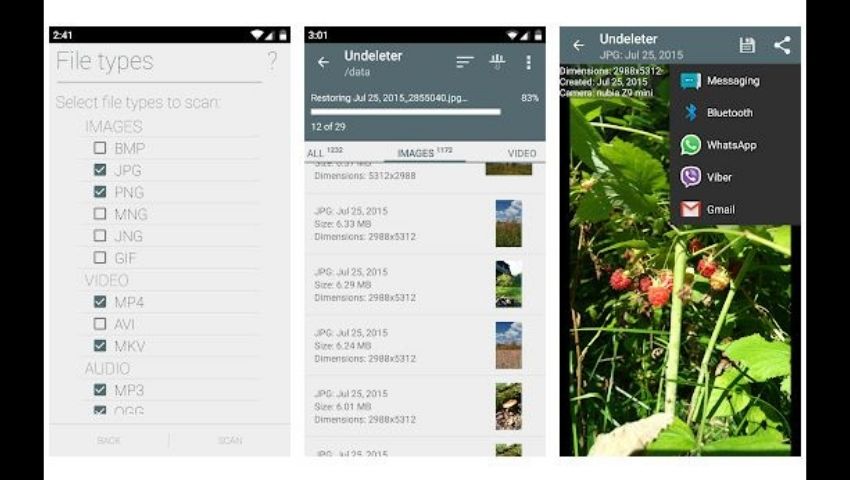
Recover your photos with Undelete Data Recovery, it is a free application and it does the process to recover photos for free. And because of this, the application uses advertising advertisements during some “breaks”. However, if the user wants, it is possible to subscribe to the PRO version. In this version, it does not display ads and releases other interesting tools for using the app. Therefore, we make the app available for download, click on the button below:
In this version, it does not present ads and releases other interesting tools for using the app.
And if you choose to subscribe, photo recovery can be done in the background. Deep inspection searches and retrieves many types of files. Of which they are: MP, JPEG/JPG, PNG, MKV, MP3, OGG, OGM, WAV, FLAC, AMR, MP4A, MNG, JNG, GIF, MP4, AVI, PDF, among many others. But only for selected amount of apps. The app also has a function to permanently delete the file.
Dumpster Recycle Bin
Now the Dumpster Recycle Bin, another app that can recover accidentally deleted photos. But it has a differential in relation to the other applications mentioned here, because its strong and main function is to recover files after its installation. That is, it recovers the deleted photos and images but it happens if Recycle Bin Dumpster is installed on your device. Equally, this application works as a second recycle bin on your device, which stores the deleted photos and images. So, even if you have deleted your photos, you can recover them with Dumpster.
However, in a recent update, it incorporated the function to recover deleted photos even before installing the app. Which ends up becoming something essential for users who want to recover older photos. Unfortunately, this application is only available for users of the Google Play, Android platform. Below you can click the button to download the application, click below and recover photos.
It is worth saying that the Recycle Bin Dumpster has its version premium🇧🇷 This frees up a “cloud” function for users who want to save device storage. In addition, it is possible to make a backup of deleted files, thus bringing even more security to the user. Data can be restored whenever you want.
EaseUS MobiSaver
Now it's time for IOS devices, which can recover your photos and images. Before, we only talked about android and related applications. Unfortunately, there are no free apps that do this for iPhones (IOS), only paid, but very difficult to find. However, if you are desperate, I bring you the solution with a paid program that can be effective for you. And I speak of EaseUS MobiSaver which must be downloaded onto the computer, the free version is very limited. The pro version is unlimited and can recover more files from your device.
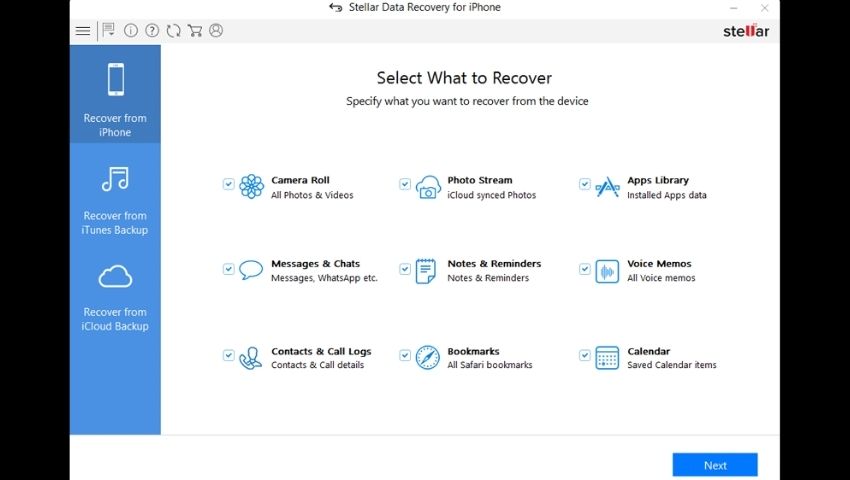
To recover photos, the first step is to connect iPhone to computer with EaseUS MobiSaver, and choose the Recover from iOS Device and then start. Then view the photos you want to recover, they will be segregated in the form of a list. If you want to recover only deleted photos, select “Only display deleted items🇧🇷 Once this is done, select the images you want to recover and click on “recoverr”. The program can be downloaded for Windows or for OSX (Mac). Click the button below for you to choose which system to download the program and then recover your photos.
Remembering that there is a free version and a PRO version, both versions are available on the button above. In the Pro version, the user has access to several functions, in addition, he has access to free technical support. Something interesting, in case you need help, or even clarify doubts about the program.
iCloud – iCloud Photos
And finally, we have iCloud for iOS users. Recover with iCloud which is unique tool for Apple, IOS devices and iCloud if “iCloud Photos” is active, you can recover photos in the deleted folder. When the user deletes a photo, it goes to the “erased" at the "Photos“, who stay there for 30 days. And if the user manages to find the desired photo, just select it and click recover.
iCloud also has the Backup function, and in it Apple provides 5GB of free storage, if you have a backup, you can restore it. However, it is interesting to be an iCloud subscriber, as it automatically backs up data. And if the user deleted or lost a photo or a file, he can recover from the backup. This brings more security to Apple users.
It is important to know that to recover the Backup, it is necessary to apply the restore from the backup on another device. That is, if you do it on the device itself, the data will be replaced by the selected backup.
And another method of always keeping the backup in days, and completely free of charge, is through iTunes. You can download the program on your computer from Apple's website, and for it to safely backup your IOS devices. The only issue is, the user must open the program and connect the cellphone to the computer, follow the commands to make the backup safely. Click below to download iTunes.
It is worth remembering that there are versions of iTunes available, that is, you will download the version that is compatible to your computer. The program is free, and so are the tools available, so you can rest assured about that. If in doubt, the site informs the installation instructions.

